The "Expert" Plan in Planoplan: Maximum Capabilities for the Professional Interior Designer
All the best for those who value their personal brand, and whose ambitions and quality of work determine the price
- 14 july 2026
- 16970
An interior designer's personal brand is built on three levels. The first and most obvious is the visual quality of your work. A client makes a decision based on the render in your portfolio on your website or social media—detail, textures, and realism matter. The second level is your signature presentation. This is not just a logo on the cover of a design project, but a consistent style across all documents, and the way you present your idea: through 2D plans, orthographic renders, wall layouts, photorealistic visualizations of all rooms, virtual tours with switchable lighting scenarios, and layout and finish options. The third is the professional environment—the community where you are known by colleagues, brands, and clients.
The "Expert" plan in Planoplan brings these directions together in one tool. It gives you access to the full cycle of a commercial project with no limits: unlimited projects, floors, and a personal library of models and textures. Plus, maximum render quality, virtual tours for remote approvals, branded PDF projects, and priority support.

Visualization Quality: Complex Materials and Detailing
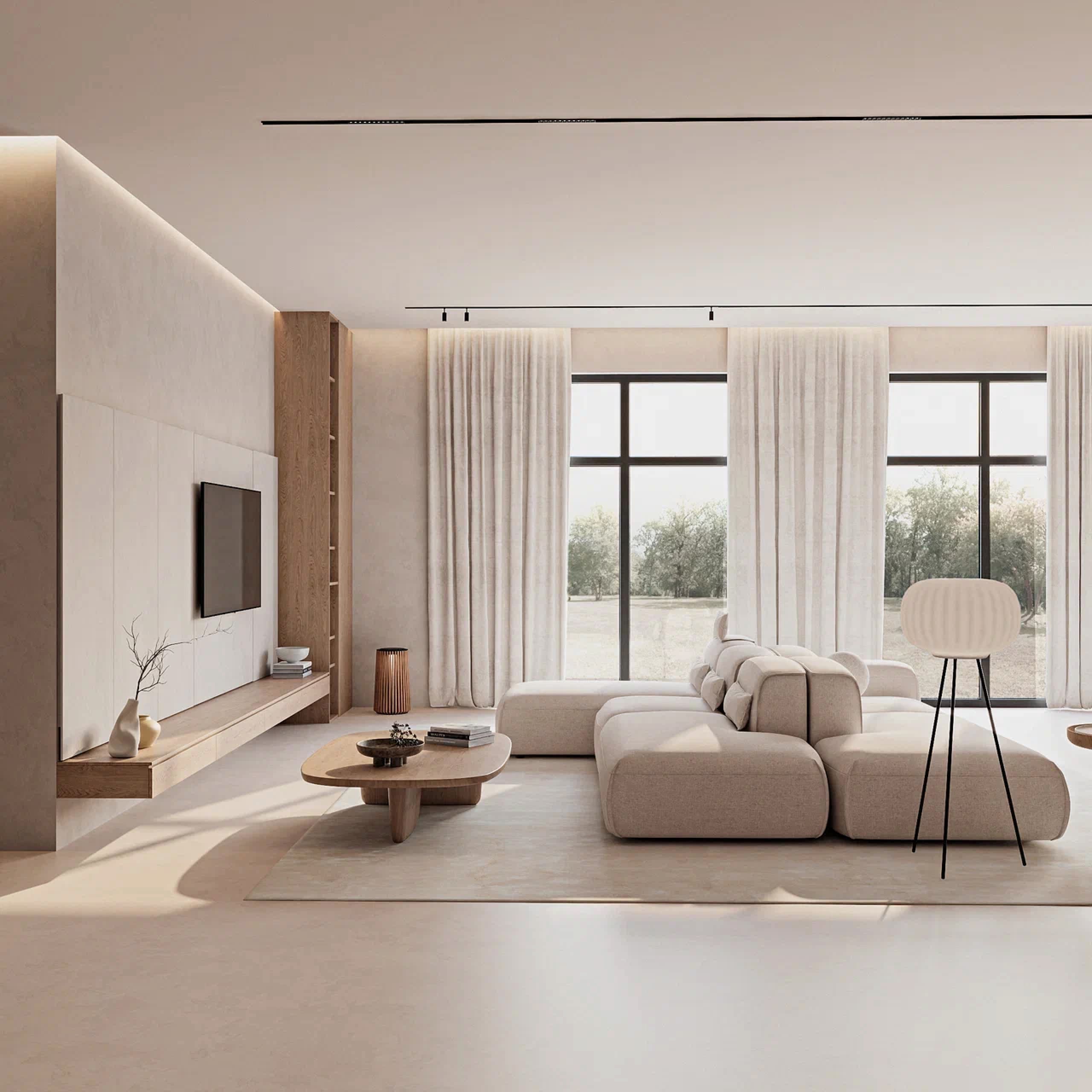
A key differentiator of the "Expert" plan is access to an expanded material library and enhanced render detail. Fabrics with realistic weaves, marble with deep veining, glass with accurate refraction, wood with natural grain. The result is no longer just a "clear concept" but an image that helps your client make their final decision.

Tools for Working with Clients and Partners
Virtual tours with info points. These are linked 360° panoramas accessible on your client's phone. You can move from the kitchen to the living room, go upstairs, and compare how spaces feel with different layouts or finish options. Info points inside the tour can include material descriptions, furniture article numbers, direct links to partners' websites, and your explanations for different scenarios. This can replace an on-site meeting during remote approvals and creates an additional wow-effect. For designers working with manufacturers, info points become a channel for commercial placement of their product range. Virtual tours can be embedded on your website, added to your portfolio, shared with a client via link, or even placed on your business card via a QR code.
Your own project branding. On the "Expert" plan, your logo is added to the cover and the title block of the final PDF document. This turns a package of drawings and specifications into a signature project.
Professional Community and Additional Opportunities
- Community Catalog. Models you upload can be submitted to the public catalog. Other designers will see your name next to the model. Anyone can use models from the catalog on any plan, but only "Expert" users can share their own. This is a way to make your name known within the professional community.
- Render Competitions and the Loading Screen. Planoplan regularly hosts render competitions. Winners are featured on the program's loading screen—seen by thousands of users. This is an additional portfolio credential and a free showcase for practicing designers.
Your Impact on the Product
In developing the program, we rely heavily on feedback from professionals. It’s important to us that the product meets your standards and needs. We carefully collect designer requests in the chat, through support inquiries, and your responses to surveys—all of this helps guide the program's development in the direction you need. Planoplan updates with new features are released approximately every 3 months. Users often refer to Planoplan as "our program," viewing it as a shared workspace that everyone has contributed to.
What Else is Included in the "Expert" Plan
Unlimited projects, floors, models, and textures in your personal library
300 tokens per month for visualization tasks
Rollover of up to 100 unused monthly tokens to the next month (with auto-renewal or annual payment). This is the only plan with this feature
Expanded additional token packages – 1280 and 2560 tokens (available only on the "Expert" plan)
Priority render queue and priority support (second tier after "Business")
Project statuses available for parallel work on multiple projects
Terms and Pricing
Price: $50 per month or $500 per year. With annual payment, the monthly cost is approximately $42, plus 600 non-expiring tokens credited to your account.
Trial Period: 7 days with full access to the plan, no credit card required. During this time, you can go through the entire project cycle—from plan to PDF, renders with complex materials, and a virtual tour—and evaluate these capabilities in your workflow.
Token Calculation. 300 tokens roughly equates to:
- 75 renders in SuperHD,
- 37 in FullHD,
- 18 in QHD,
- 9 in 4K,
- or 4 8K panoramas for a virtual tour.
In practice, designers combine them: previews (1 token), fine-tuning in FullHD (8 tokens), and finals for the portfolio in 4K (32 tokens). If you need more renders, convenient top-up packages of 1280 and 2560 tokens are available (not offered on other plans). Any unused portion of your monthly tokens rolls over (up to 100 tokens). All purchased tokens are saved and are non-expiring.
What the "Expert" Plan Does Not Include
"Expert" is the top individual plan for practicing designers. Above it is only "Business," a product for studios and teams: shared projects, task assignment within the studio, an admin panel, and corporate estimates. If you manage a project entirely on your own, the capabilities of the "Expert" plan are more than sufficient.
Your Success Story
A designer's brand is built on specific points of contact with the audience: a render in a publication, a project your client shows their clients, your name on a model card in the catalog, your own training or presentation at an event. Each of these points either works for your reputation or it doesn't.
A subscription to a tool that serves as the foundation and support for this journey represents a fraction of a percent in the estimate of a commercial interior, but it entirely determines the quality and presentation of your work. When an image influences whether a client approves a project or asks to "think it over," the difference between "good enough" and "indistinguishable from a photo" becomes a question not of render quality, but of your time and earnings.

"I figured it out in a couple of hours. And now we've been together for eight years."
Over eight years, Irina has won several of our render competitions, and her work has been featured on the program's loading screen. In parallel, Irina launched her own course. This is the formula of the "Expert" plan: the program becomes an environment where both the quality of visualization and the visibility of the author's work grow. Read Irina´s success story

Comparison with Alternatives
A complete set in one subscription: layout, render, drawings, specifications, PDF project, virtual tour—without the need to purchase AutoCAD, 3ds Max, V-Ray, and Matterport separately. The combined cost of these programs is approximately $465 per month. The "Expert" plan with annual payment is $42 per month.
Technical Details: All calculations are performed on Planoplan's servers, so you don't need a powerful computer. Convenient payment options, highest priority in the render and support queues. Token rollover helps during periods of uneven workload, especially when the final push falls at the end of the subscription cycle.
Here at Planoplan, we believe that powerful doesn't have to mean complex or unfriendly. The intuitive program interface includes only the necessary settings, making your work not only efficient but also enjoyable.

Getting Started
Download Planoplan and activate your trial period. You have 7 days with full access to the "Expert" plan, free and without entering your card details. During this time, you can take one project through all the stages: plans and drawings, renders with complex materials, a virtual tour with info points, and compile a PDF album with your logo. If you notice a difference in quality and workflow speed, subscribe and continue. Projects started during the trial period are saved—no need to reconfigure anything.
Planoplan is a professional tool for easy and comfortable work
High-quality visualizations, construction documents, specifications, and stunning virtual tours for your clients — these and other Planoplan features with one subscription. 7-day free trial for all new users!