Tags and full control over model components
Major wall elevation improvements, trackpad support on macOS, and other changes in Planoplan 4.0.1
- 8 april 2026
- 52
Improvements
Tags
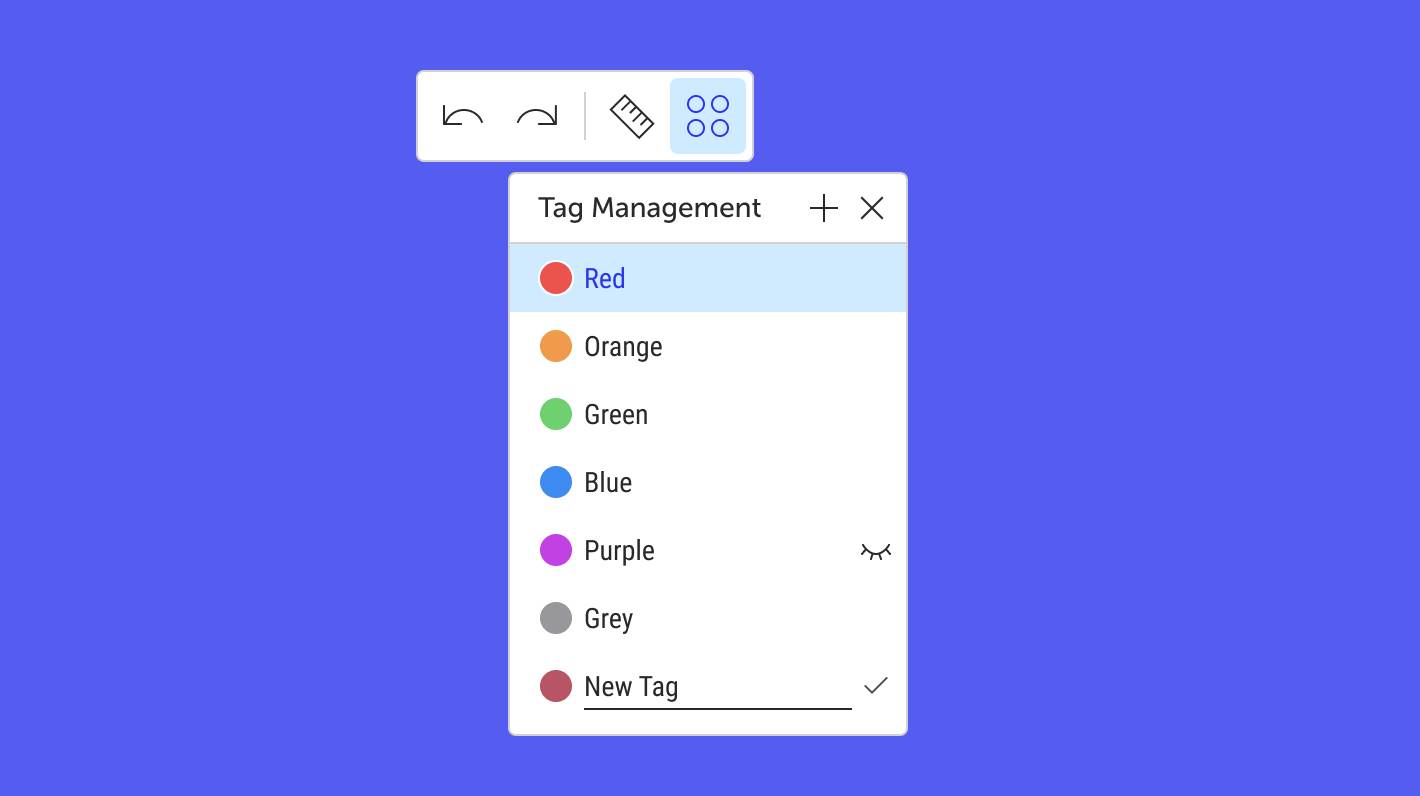
Tags are universal layers for organizing your work on a project and its drawings. Assign tags to objects, toggle their visibility — and treat a single project as many: different furniture arrangements, equipment options, or drawing configurations without creating separate projects or floors. You can assign multiple tags to a single object at the same time. For convenience, tags are color-coded, and global settings let you show or hide entire tag groups across the project. If you make a tag active, it will be automatically assigned to every new object you add to the scene. Learn more about working with tags.
Full control over model components
Imported complex objects no longer turn into a single solid block. You can see the internal structure of a model and remove unnecessary elements, decor variations, or furniture pieces right inside the editor — without going back to a third-party 3D application.

Wall elevations: five improvements
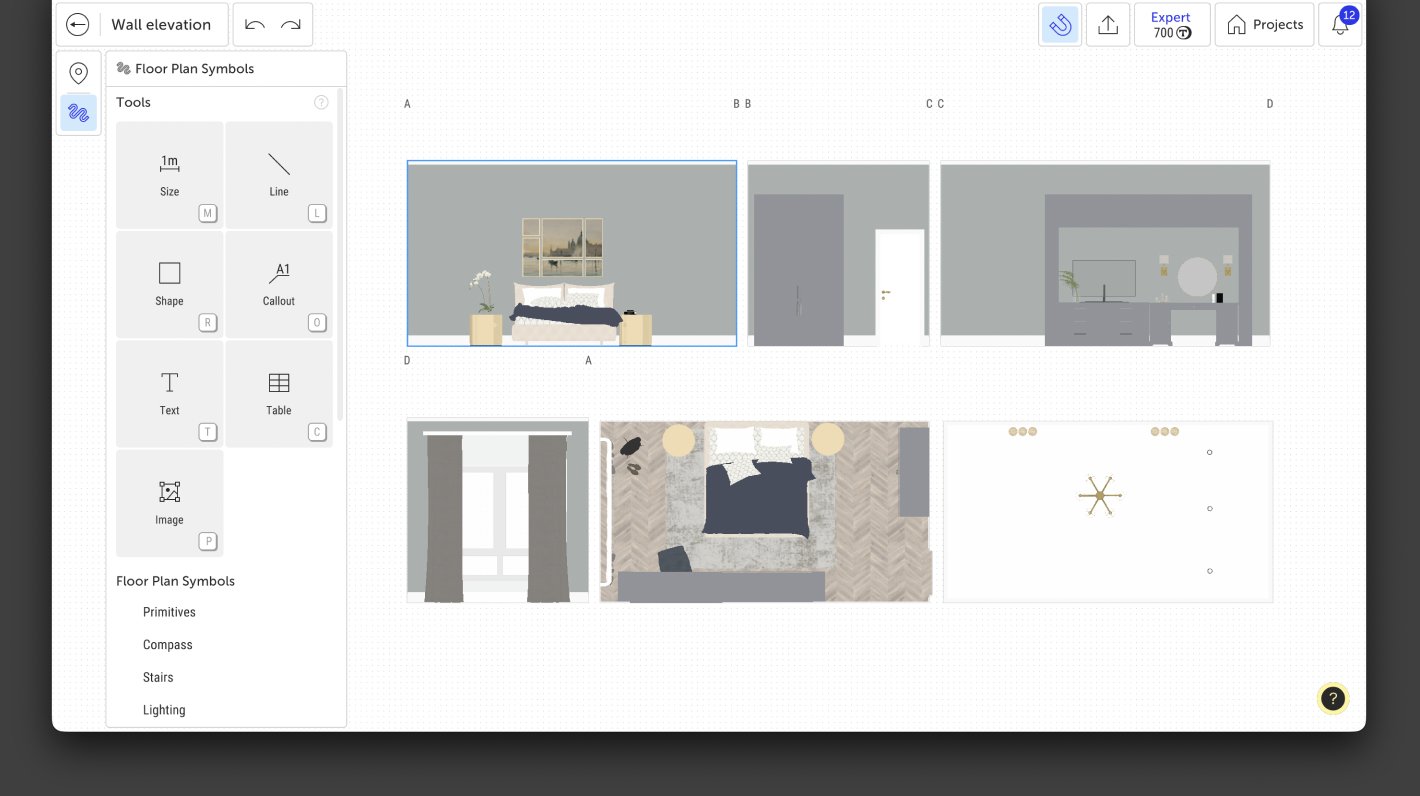
Wall elevations received several enhancements at once. Camera position is now saved on export — the view no longer resets. Snap points on furniture have been added for placing dimensions. Windows, doors, and baseboards now display correctly on elevations. And a catalog with floor plan elements has been added to the elevation mode, so you can supplement drawings with the necessary annotations without switching to 2D.
Hide baseboards on individual walls
Checkboxes have been added to the wall settings, allowing you to hide baseboards on a selected wall. Useful when a baseboard is not needed behind built-in furniture or in the kitchen counter area.

Token balance details
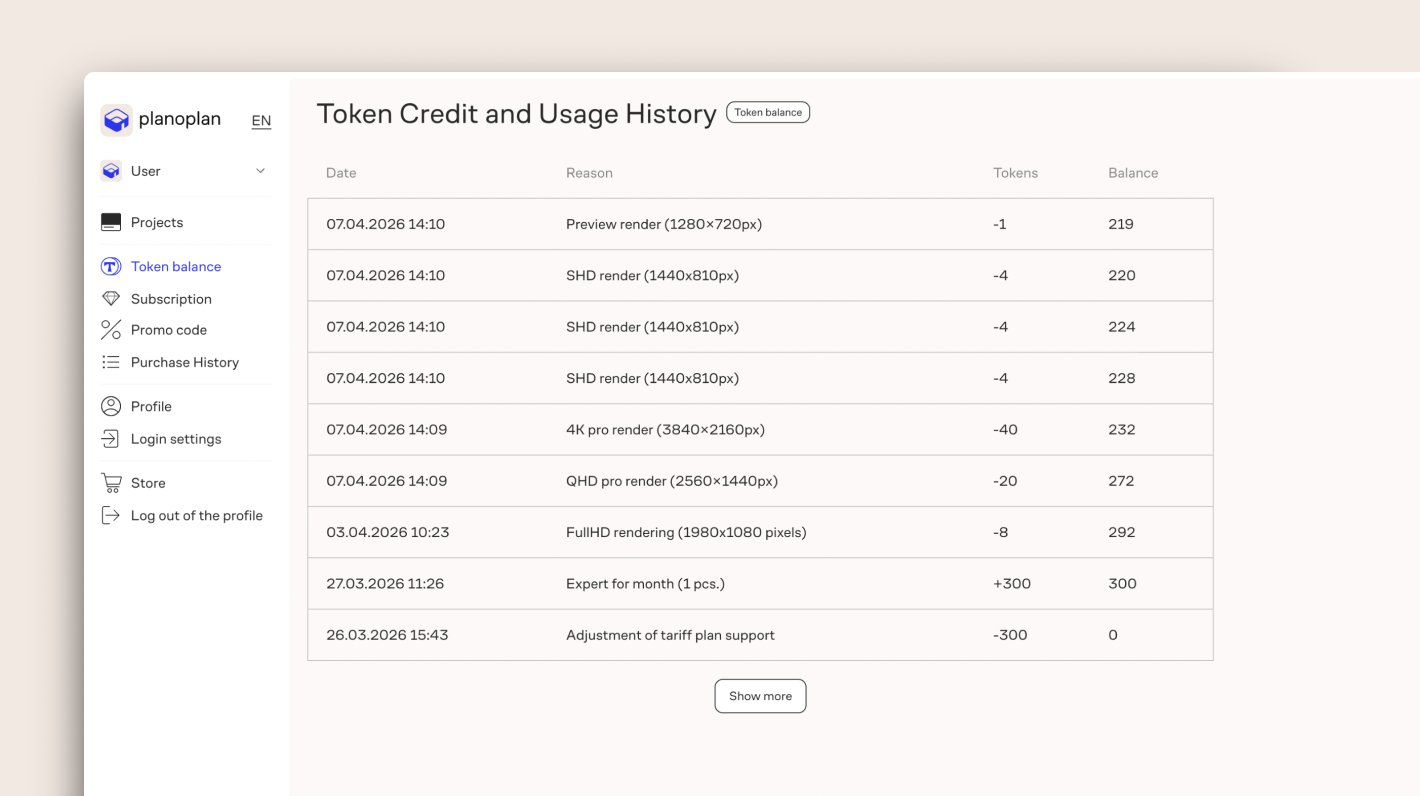
A table with the full history of token credits and debits is now available in the Token Balance section of your account. It is now easy to track exactly how your tokens were spent.
Redesigned settings interface
A new interface has been implemented for the settings of walls, rooms, roofs, windows, and doors.
Favorites in texture replacement
When replacing a texture on a surface, the Favorites section is now available — quick access to your most frequently used materials.
Customizable estimate columns
You can now hide unnecessary columns in the project estimate. Hidden columns will not appear when you share the estimate via link or export it to CSV — you share only the information that matters.
Trackpad support on macOS Silicon
Mac users on M-series processors can now fully use the trackpad: zoom, rotate, and navigate the project with gestures.
QR codes in tables
Text in a table cell can now be converted into a QR code — for example, for a link to a product or specification.
Automatic removal of empty annotations
If you delete the text in a "Callout" or "Text" annotation, the element is automatically removed from the plan. Less manual cleanup.
Hovering over a color in the item settings now displays the palette name and color name in a tooltip.
Faster team dashboard loading.
You can now add a link to an uploaded model in team accounts.
Bug fixes
- Fixed an issue where the project became locked in a personal account after opening a team account with an expired subscription.
- Fixed the editor freezing when closing the application with the polyline settings open.
- Fixed the saved color palette resetting on logout and application restart.
- The Surface Design tool now correctly saves entered emissive material temperature values.
- Fixed an issue where dimensions on a wall elevation could be moved separately from the wall when snapping was enabled.
- Copying a line in a wall elevation no longer causes it to fly off to the side.
- Fixed an error when navigating to a render point from the gallery after exporting a wall elevation.
- On macOS, multiple renders from the gallery can once again be downloaded as a single archive.
- Fixed group offset when selecting it in 2D.
- When copying a group in 3D, the group axes are now positioned at the center of the group.
- Fixed the inversion of width adjustment controls when furniture is rotated by 179.968°.
- Tables now appear in the object list.
- The "Unallocated" folder in the team catalog no longer displays contents from the personal catalog's "Unallocated" folder.
- Users who are not part of a team no longer see a dropdown menu with their name in the dashboard.
- The blue dot on the "New items" button now displays correctly.
