Transfer of Remaining Tokens
When working on projects, the number of renders needed can vary from month to month. Sometimes users spend all tokens included in their subscription, while in other cases some tokens remain unused. Normally, unused tokens expire at the end of the billing period of the pricing plan.
On the “Expert” pricing plan in Planoplan, users can transfer a portion of unused tokens to the next month. This allows you to keep the remaining tokens and use them later.
Please note that the transfer works only if certain conditions are met.
How many tokens can be transferred
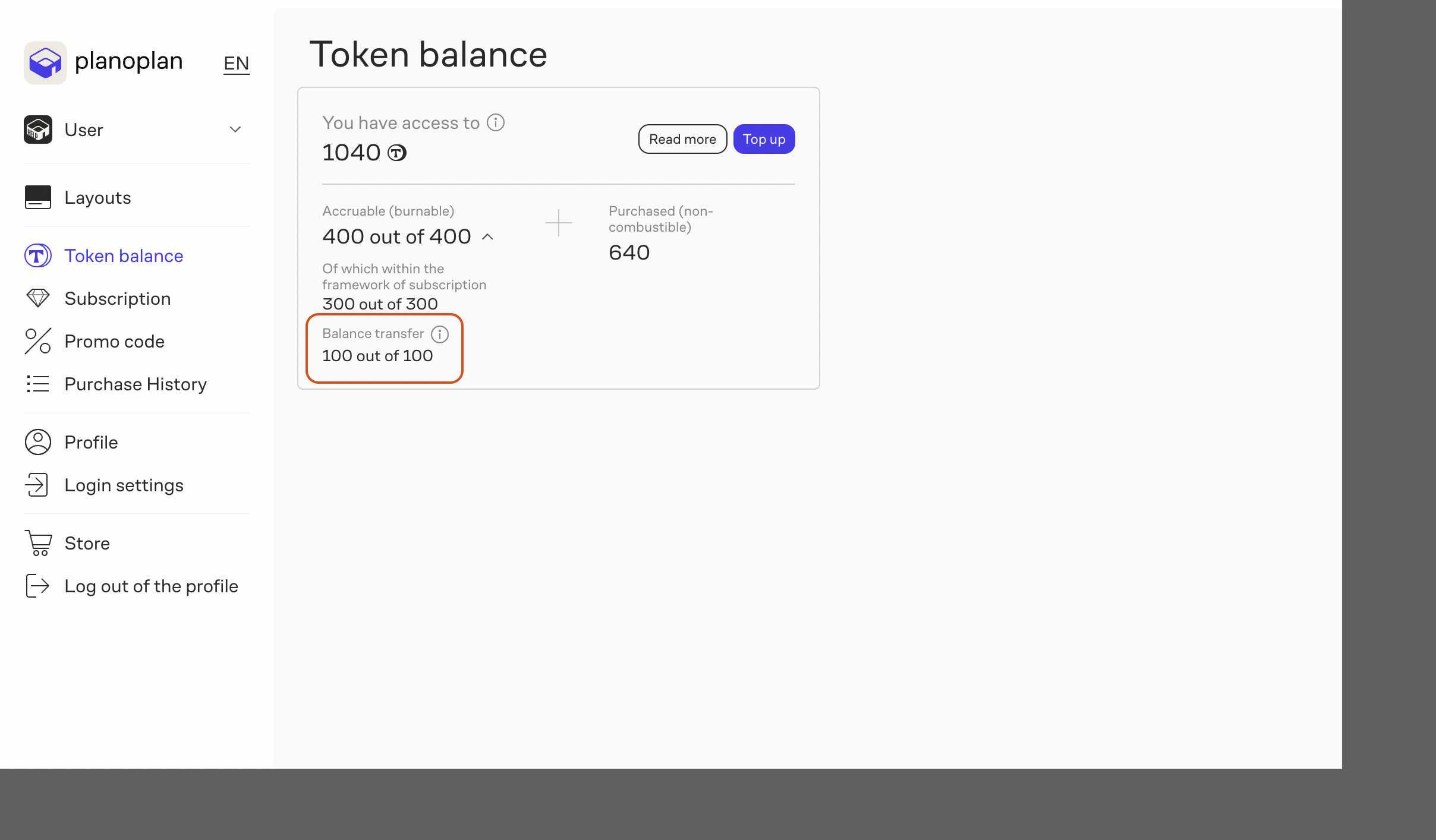
You can transfer up to 100 tokens to the next billing period.
If you have more than 100 unused tokens at the time of subscription renewal, only 100 tokens will be transferred. The rest will expire.
Transferred tokens remain expiring tokens. If they are not used later, they may also expire during future subscription renewals.
Conditions for transferring tokens
For unused tokens to be automatically transferred to the next month, the following conditions must be met:
- You are using the “Expert” pricing plan.
- A bank card is linked in the “Personal Account”.
- The subscription is active — automatic renewal (auto payment) is enabled.
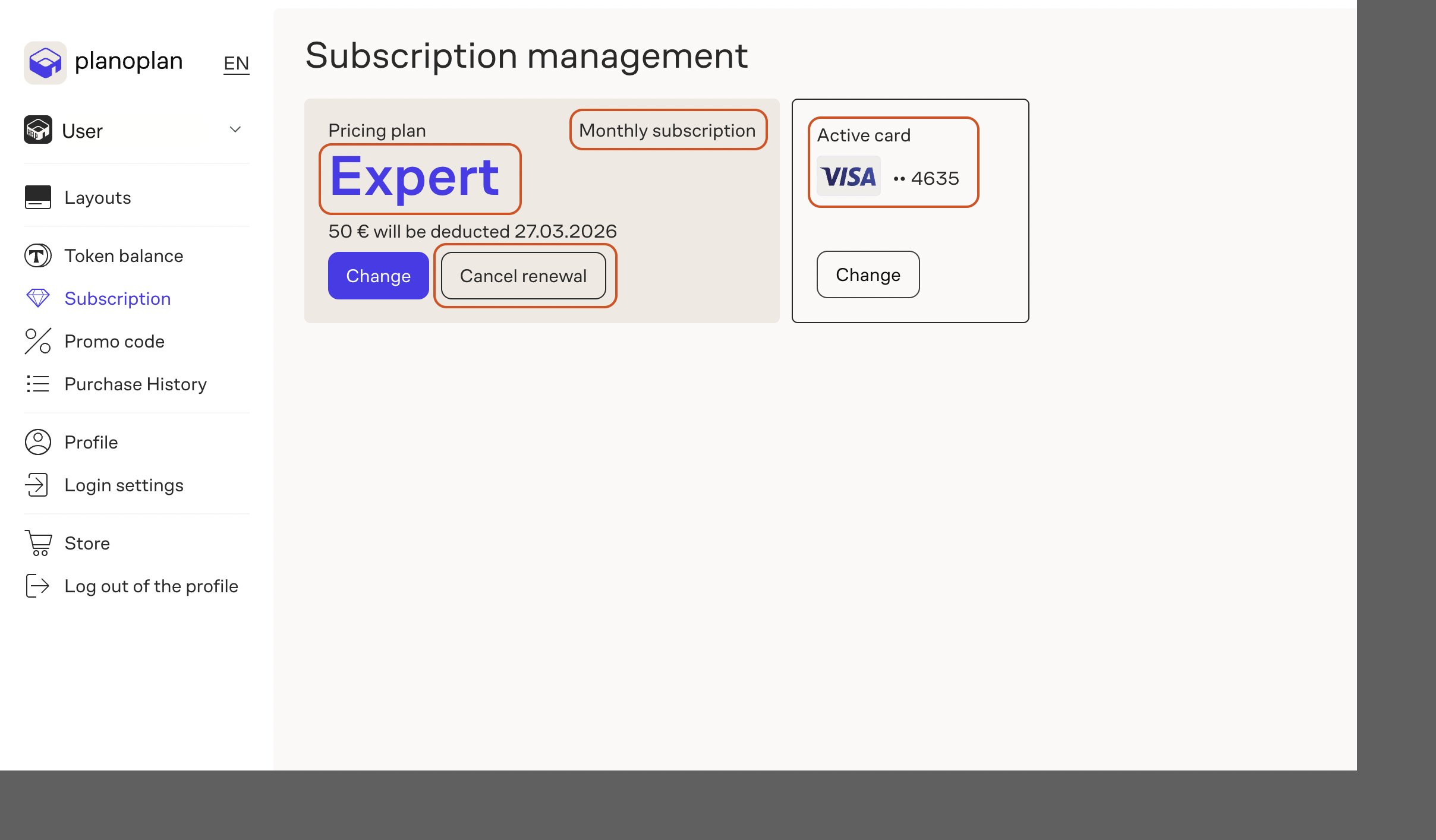
If all conditions are met, unused tokens will automatically transfer to the next billing period (up to 100 tokens).
When token transfer will not occur
Token transfer will not occur in the following cases:
- the subscription is disabled in the “Personal Account”;
- the linked bank card has been removed;
- there are insufficient funds on the linked card and the subscription renewal failed.
If several bank cards are linked to the account, at least one of them must have sufficient funds to pay for the pricing plan. Otherwise, the subscription renewal and token transfer will not occur.
Recommendations
If you plan to transfer remaining tokens to the next month, we recommend checking in advance:
- that the subscription is active;
- that a bank card is linked;
- that the card has sufficient balance for automatic renewal.
Users should monitor the subscription status and card balance themselves to ensure the token transfer works correctly.
If you have any questions, found an error, or couldn't find the information you need, please contact us at support@planoplan.com, use the built-in support on the website or in th app (icon in the bottom right corner).